The app

A day with Porooch, screen by screen.

This is the app your crew installs, as it looks on a phone. The labels are printed once. After that, everything on this page is a scan or a tap.

  1. Step 1

    Scan to pick up

    Point the phone at the label on anything you’re taking. Scan one item or a whole kit, then tap Pick up once. If someone else had an item, they’re told. No signal in the basement? It sends when you’re back online.
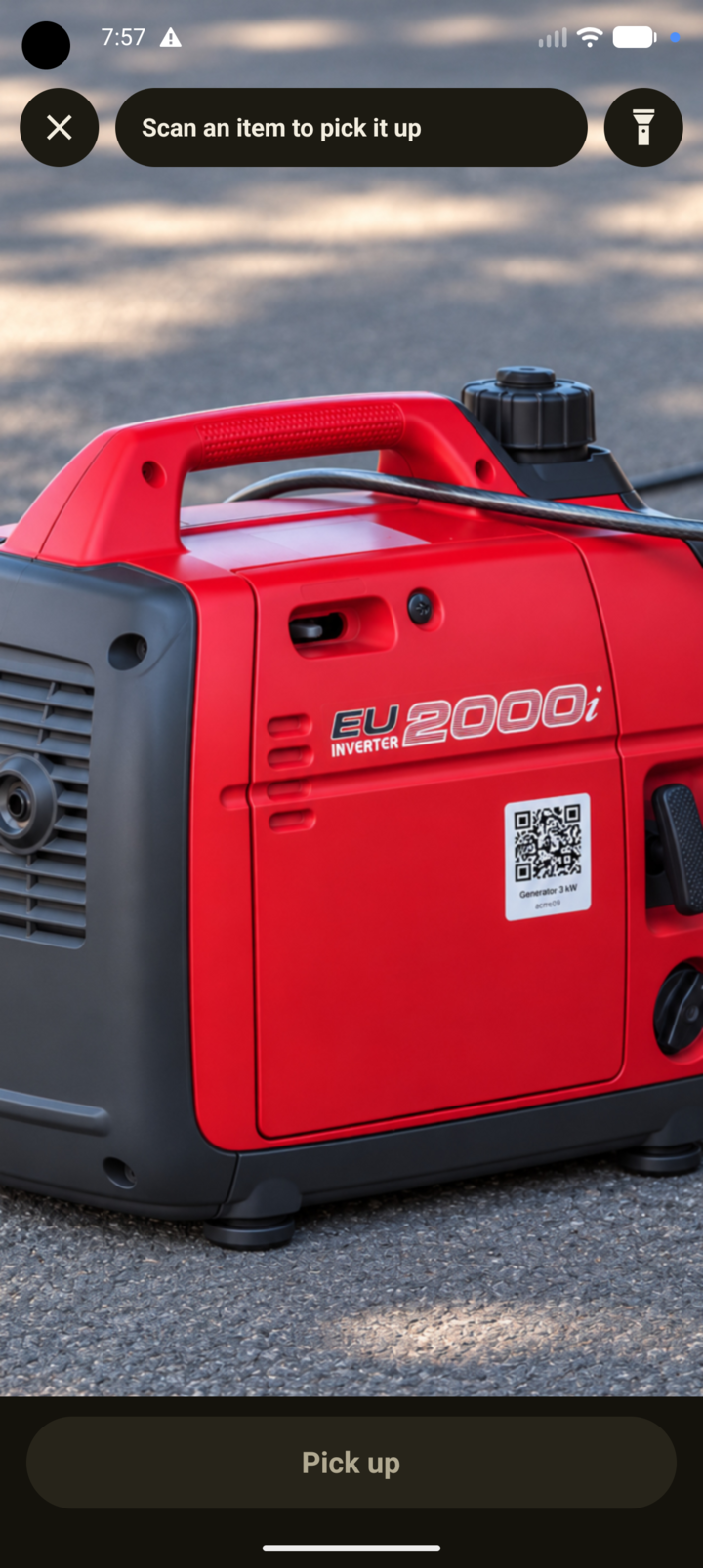
    The Scan screen: the camera pointed at a red inverter generator with a QR label on its side, “Scan an item to pick it up” at the top, a flashlight button, and a Pick up button at the bottom.
    Scan
  2. Step 2

    What’s in your hands

    Home lists what you hold and for how long. Back at the yard, check the items and tap Drop. The bar at the top says whether your phone is sharing its location right now, and it only does while you hold something.
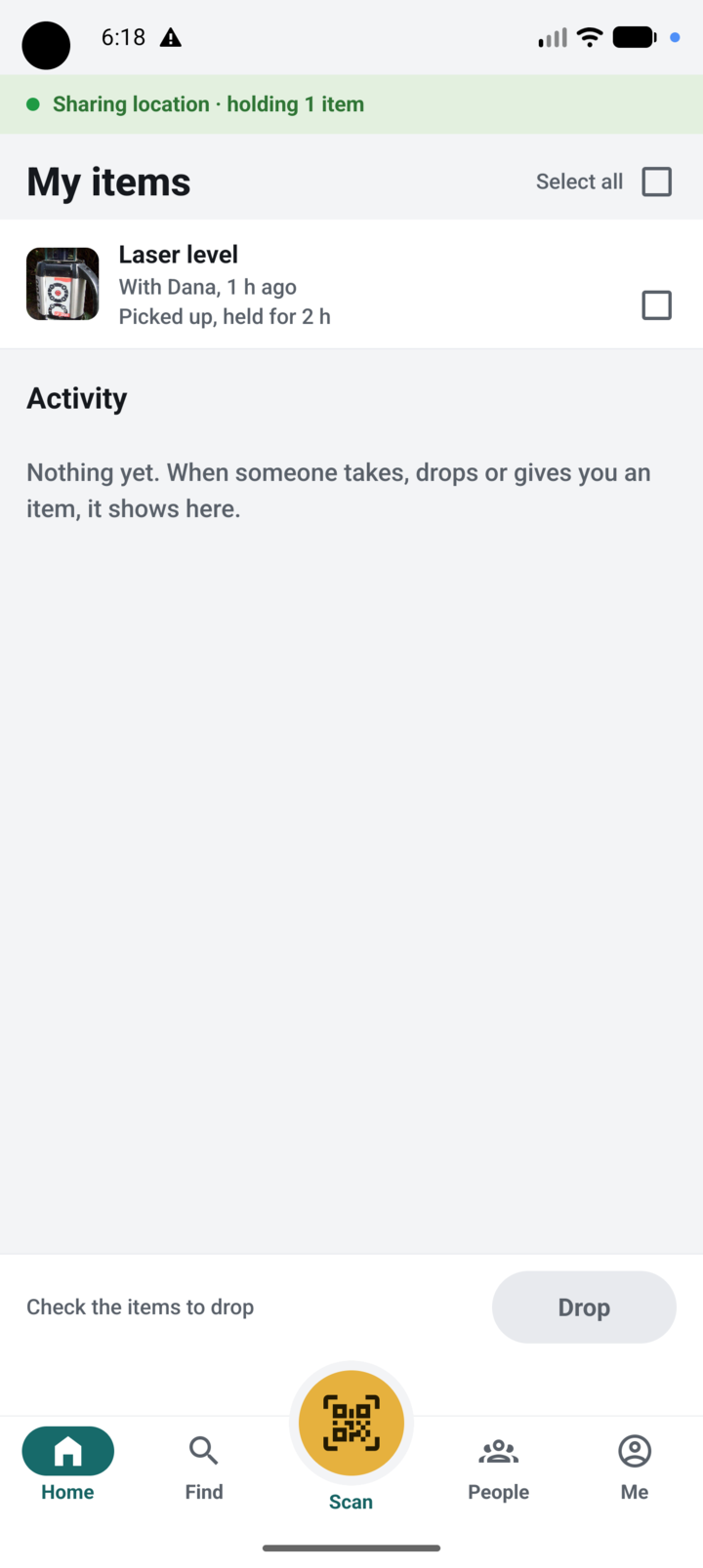
    The Home screen, headed My items: a bar reading “Sharing location · holding 1 item”, a Laser level picked up from Dana an hour ago and held for 2 hours, an empty Activity list, and a Drop button.
    Home
  3. Step 3

    Find anything your workspace owns

    Every item, with who has it or where it was dropped, and how long ago. Search by name, or filter: near me, in custody, at a place, unassigned. Admins add items, print labels and draw places from the same screen.
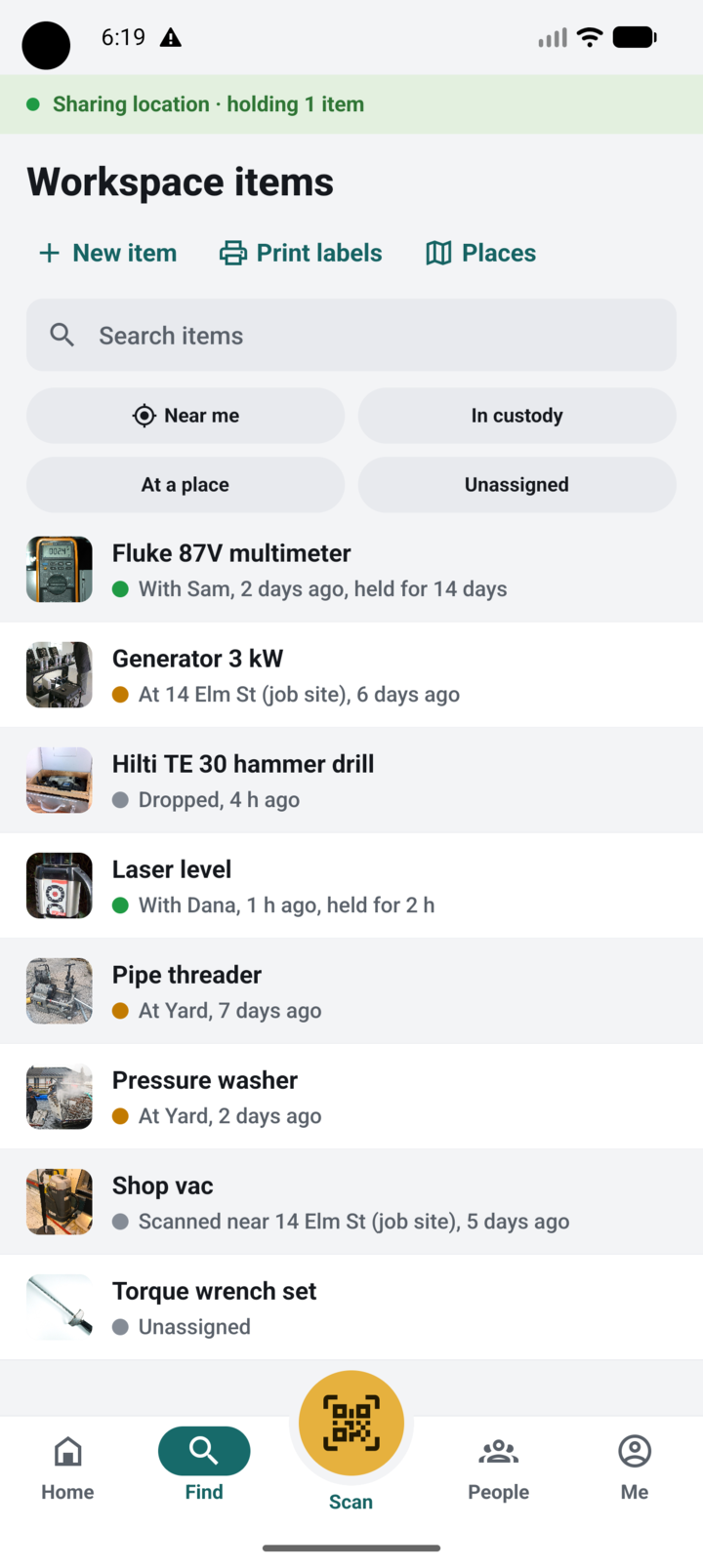
    The Workspace items screen: New item, Print labels and Places at the top, a search box, the filters Near me, In custody, At a place and Unassigned, and a list of tools, each with a coloured status dot and a line such as “With Sam, 2 days ago, held for 14 days” or “At Yard, 7 days ago”.
    Find
  4. Step 4

    Who has it, and where

    Open an item to see it on the map, with where that location came from and how old it is. Get directions, or message or call the person holding it. Dropping outside a marked place asks first, so nothing ends up at a gas station.
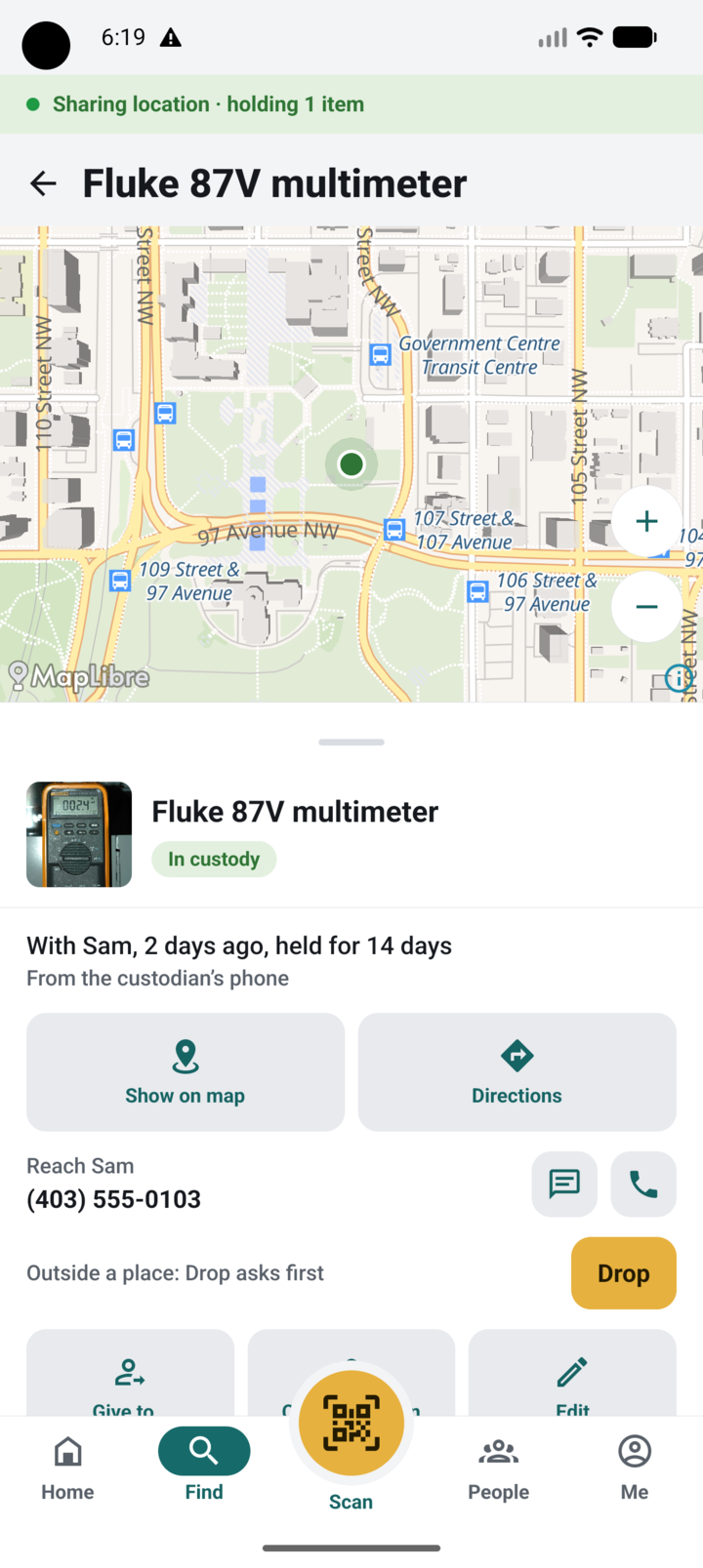
    An item screen for a Fluke 87V multimeter: a street map with its position, an In custody badge, “With Sam, 2 days ago, held for 14 days. From the custodian’s phone”, Show on map and Directions buttons, Sam’s phone number with message and call buttons, and a Drop button.
    An item
  5. Step 5

    Your crew, by email

    Invite people by name and email. They sign in with a code we email them, so there are no passwords to forget. Each person shows what they hold and when their phone was last heard from. Admins can change an email, make someone an admin, sign them out everywhere or deactivate them, all from the phone.
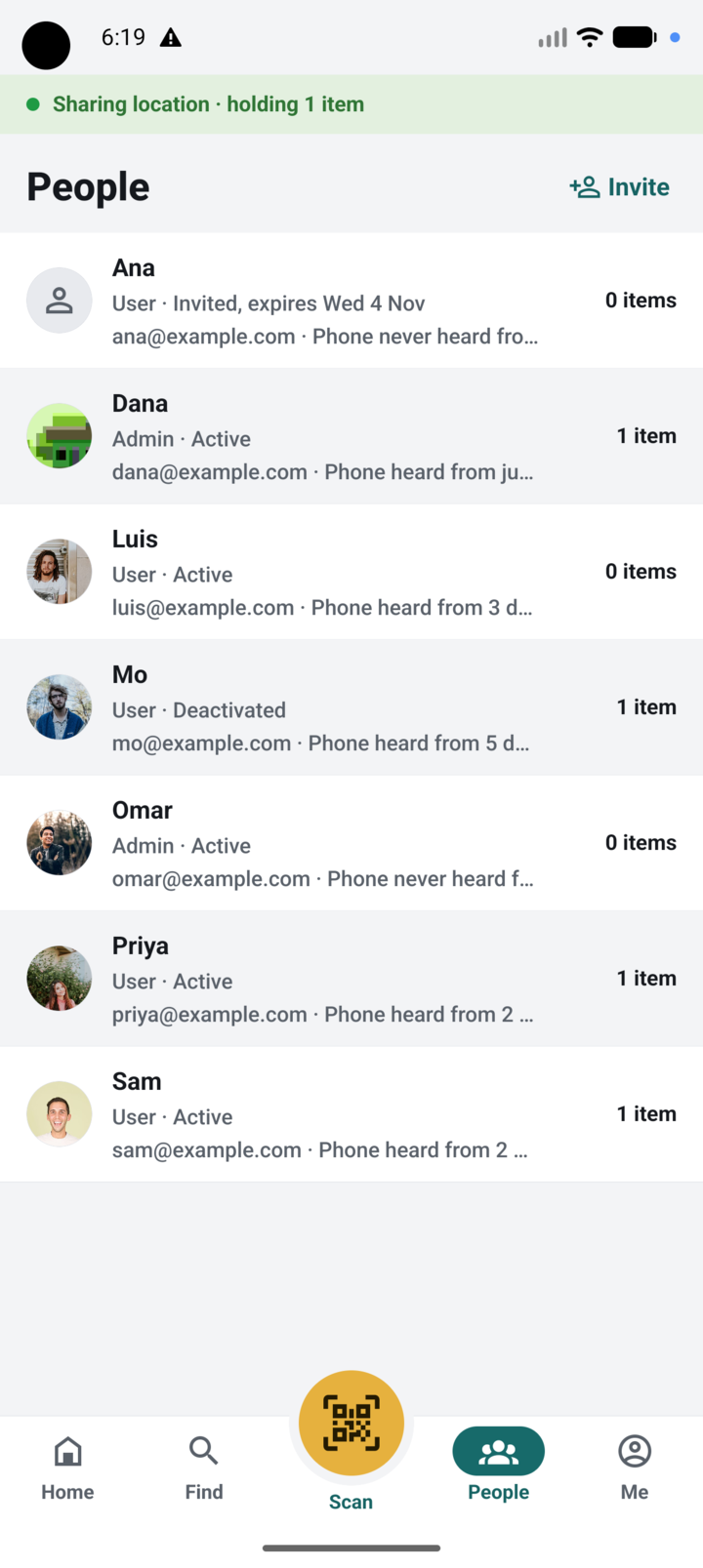
    The People screen with an Invite button: Ana, invited, with an expiry date; Dana, admin; Luis; Mo, deactivated; Omar; Priya and Sam, each with how many items they hold and when their phone was last heard from.
    People
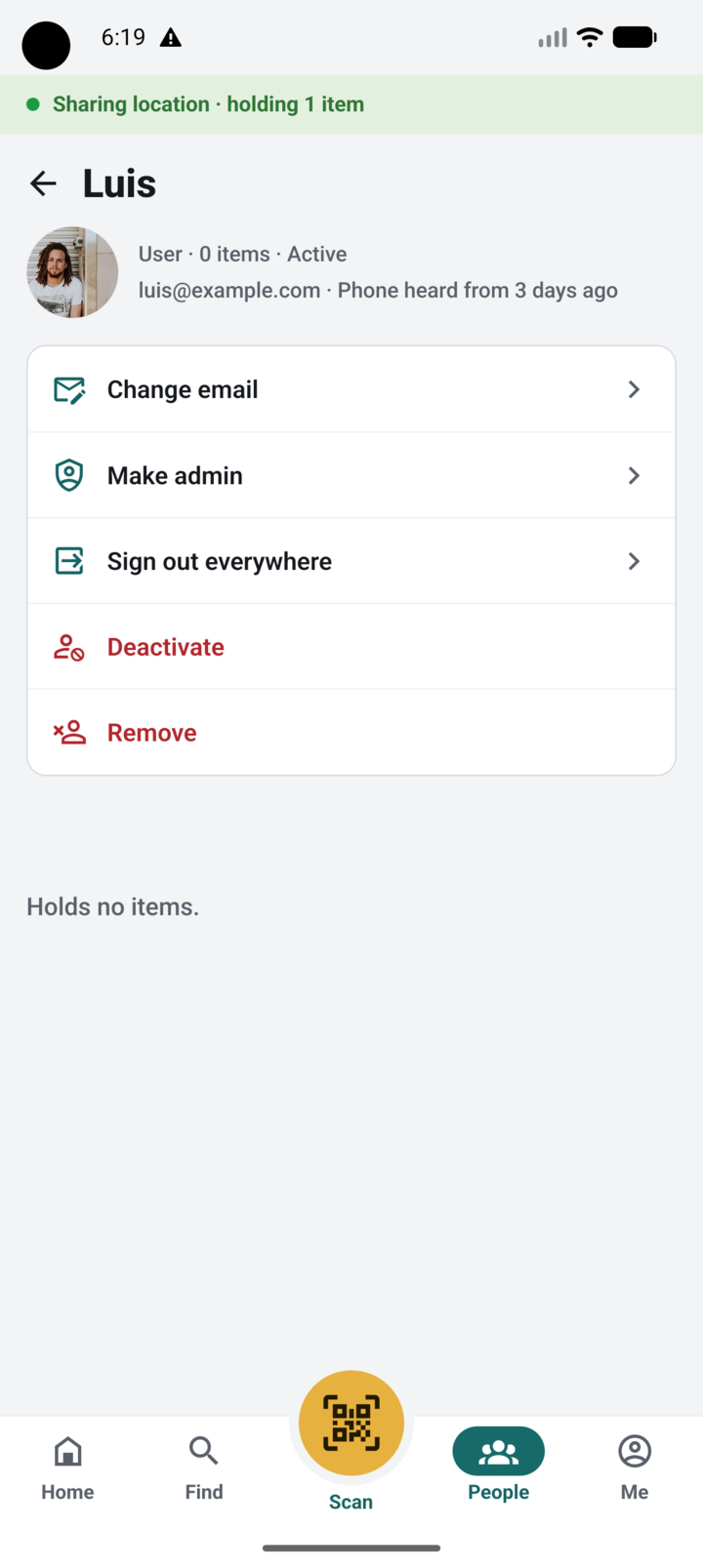
    Luis’s page as an admin sees it: User, 0 items, Active, his email, “Phone heard from 3 days ago”, then Change email, Make admin, Sign out everywhere, Deactivate and Remove.
    A person, as an admin sees them
  6. Step 6

    Their phone, their hours

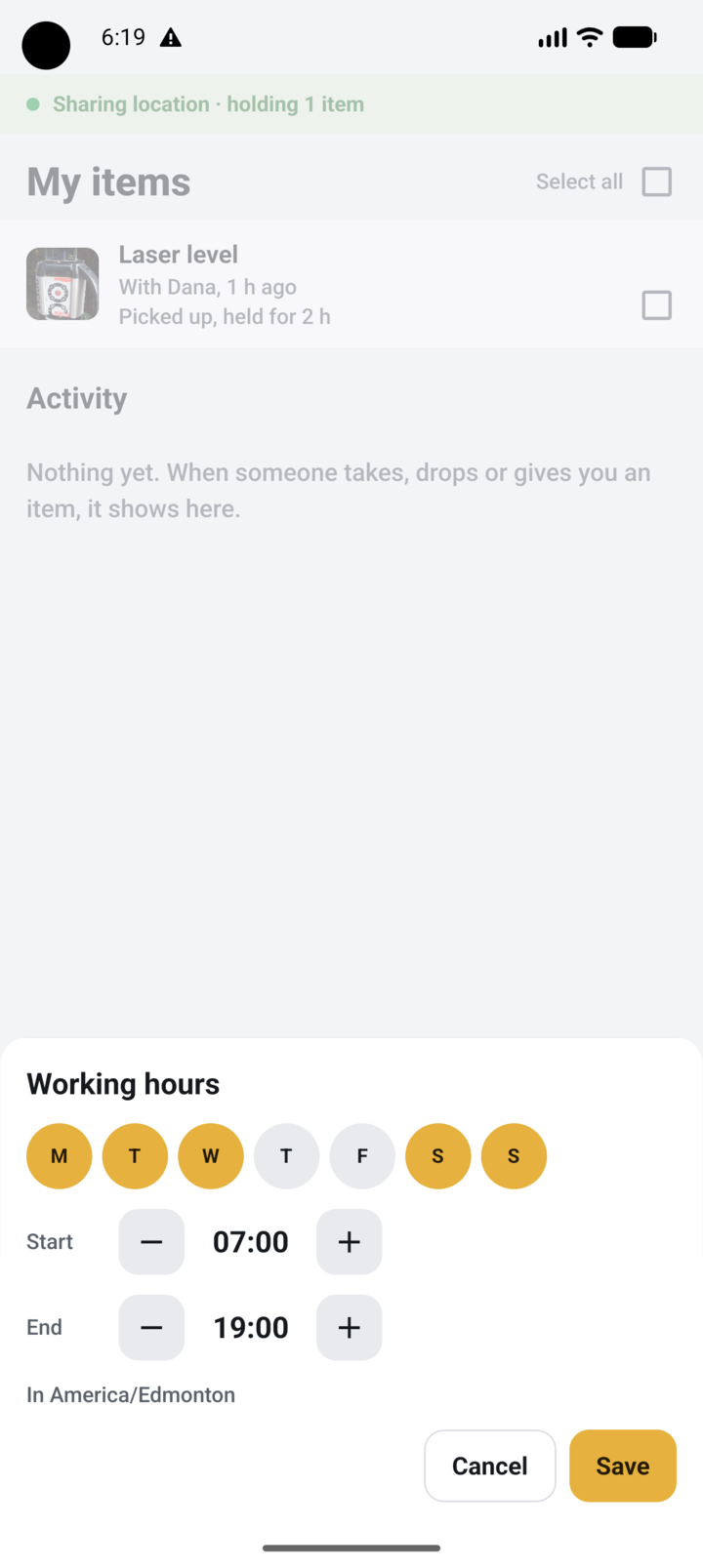
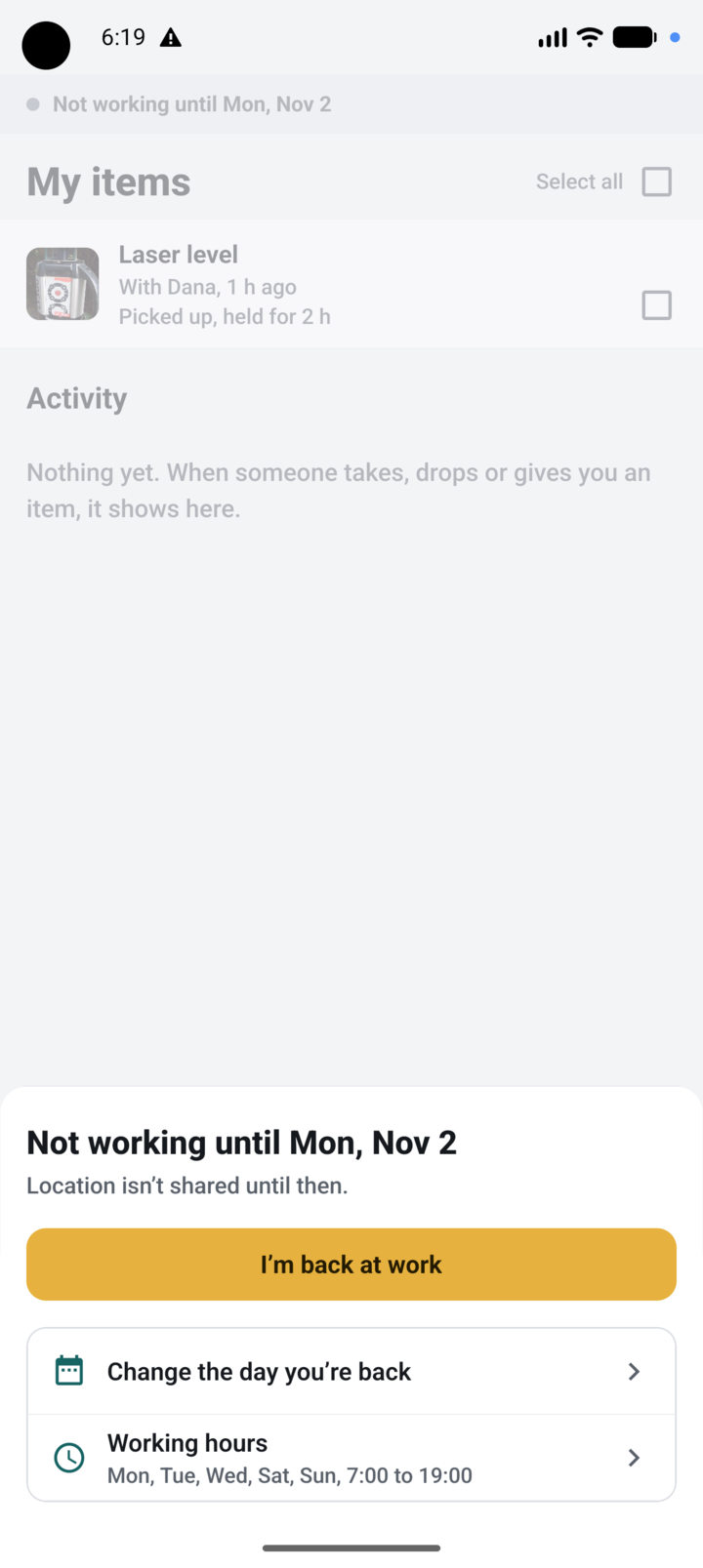
    Each person sets their own working days and hours. Outside them, the phone shares nothing in the background. Sick day or vacation? Tap the location bar and choose Not working today, or until a date. Switch back with one tap.
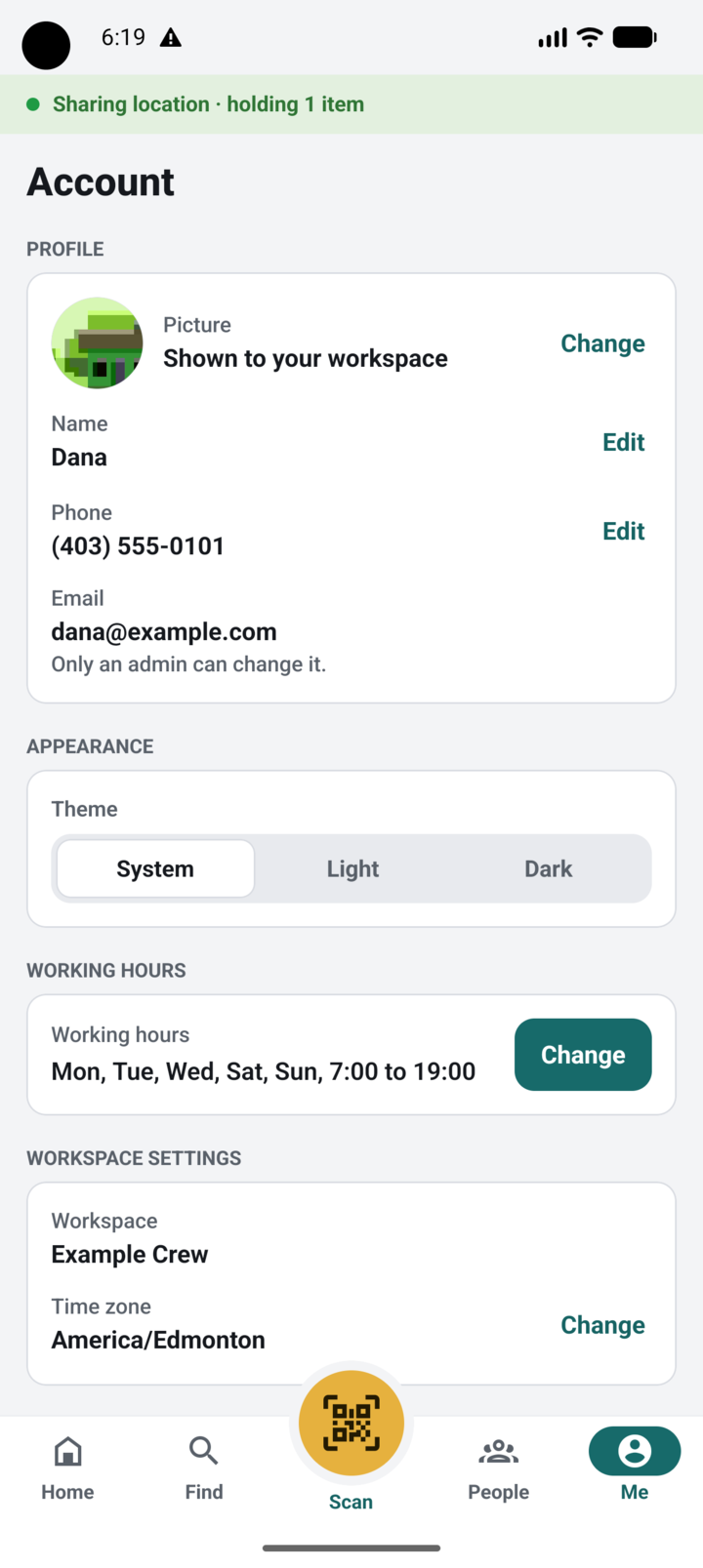
    The Account screen: profile picture, name, phone and email; a theme switch with System, Light and Dark; working hours “Mon, Tue, Wed, Sat, Sun, 7:00 to 19:00” with a Change button; and the workspace’s name and time zone.
    Me
    The Working hours sheet: seven day buttons with Monday, Tuesday, Wednesday, Saturday and Sunday selected, a start of 07:00 and an end of 19:00 with plus and minus buttons, “In America/Edmonton”, and Cancel and Save buttons.
    Working hours
    The sheet “Not working until Mon, Nov 2. Location isn’t shared until then”, with an “I’m back at work” button, “Change the day you’re back” and Working hours.
    Not working

Free pilot

See it on your own gear.

A handful of crews are piloting Porooch this winter, free. We set it up with you: your places, your items, labels ready to print the same day.