Your gear, close at hand.
Print a QR label for anything your team shares. Scan it to pick it up, drop it off at the yard, and always know who has it and where.
The first crews are piloting it now. Ask for a free spot below.
How it works
Set it up once. Your crew does the rest.
You do the setup. After that, the people using the gear keep the record themselves, with every pick-up and drop-off.
-
1
Open a workspace
Tell us about your business. We set up your workspace and make you its admin.
-
2
Label your gear
Add each item in the app and print its QR label on any printer. Stick it on, and that label is that item. There’s no hardware to buy.
-
3
Invite your crew
Add people by name and email. They install the app and sign in with a code we email them. No passwords to forget.
-
4
The crew runs it
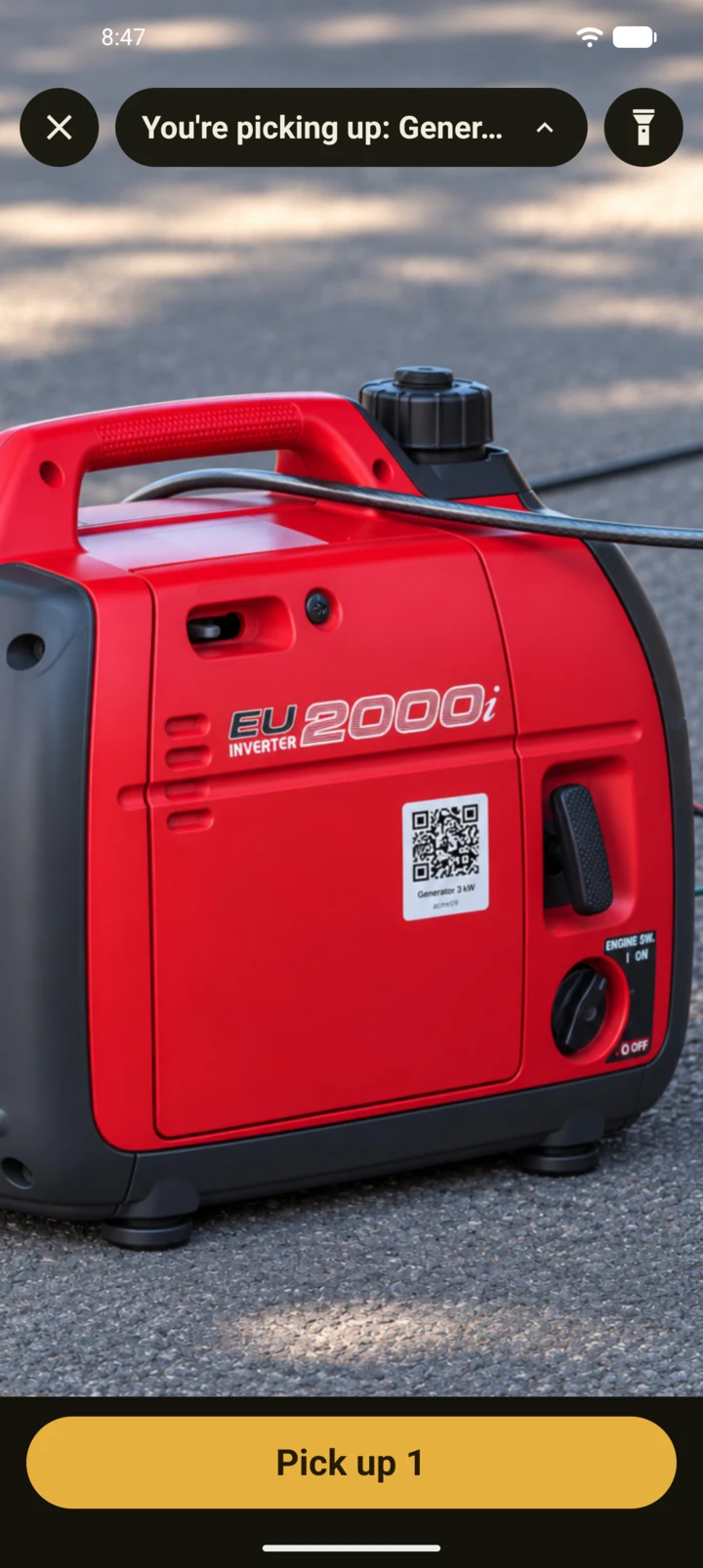
They scan to pick up and tap Drop back at the yard. Nobody keeps a sign-out sheet, and you stop making “who has it?” calls.
At a glance
Who has what, and where.
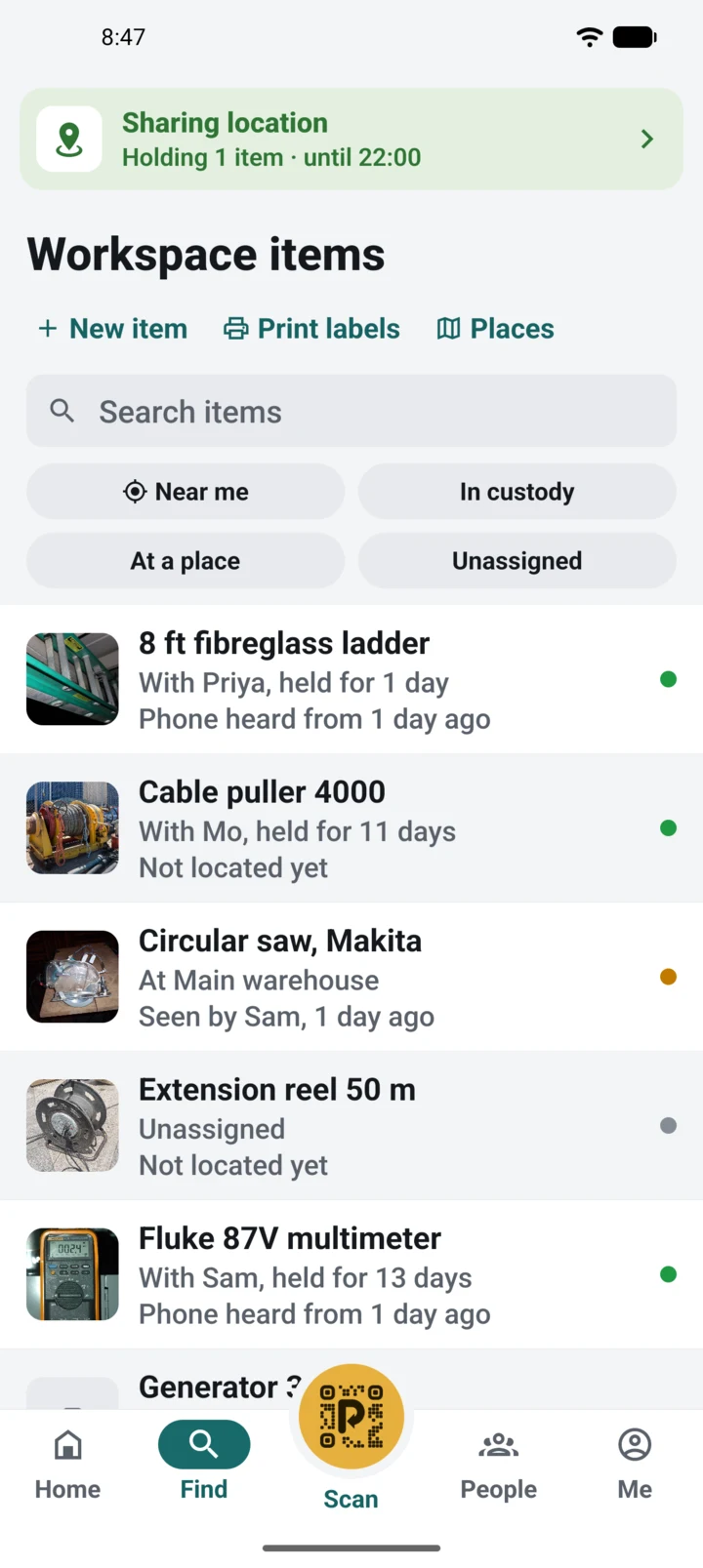
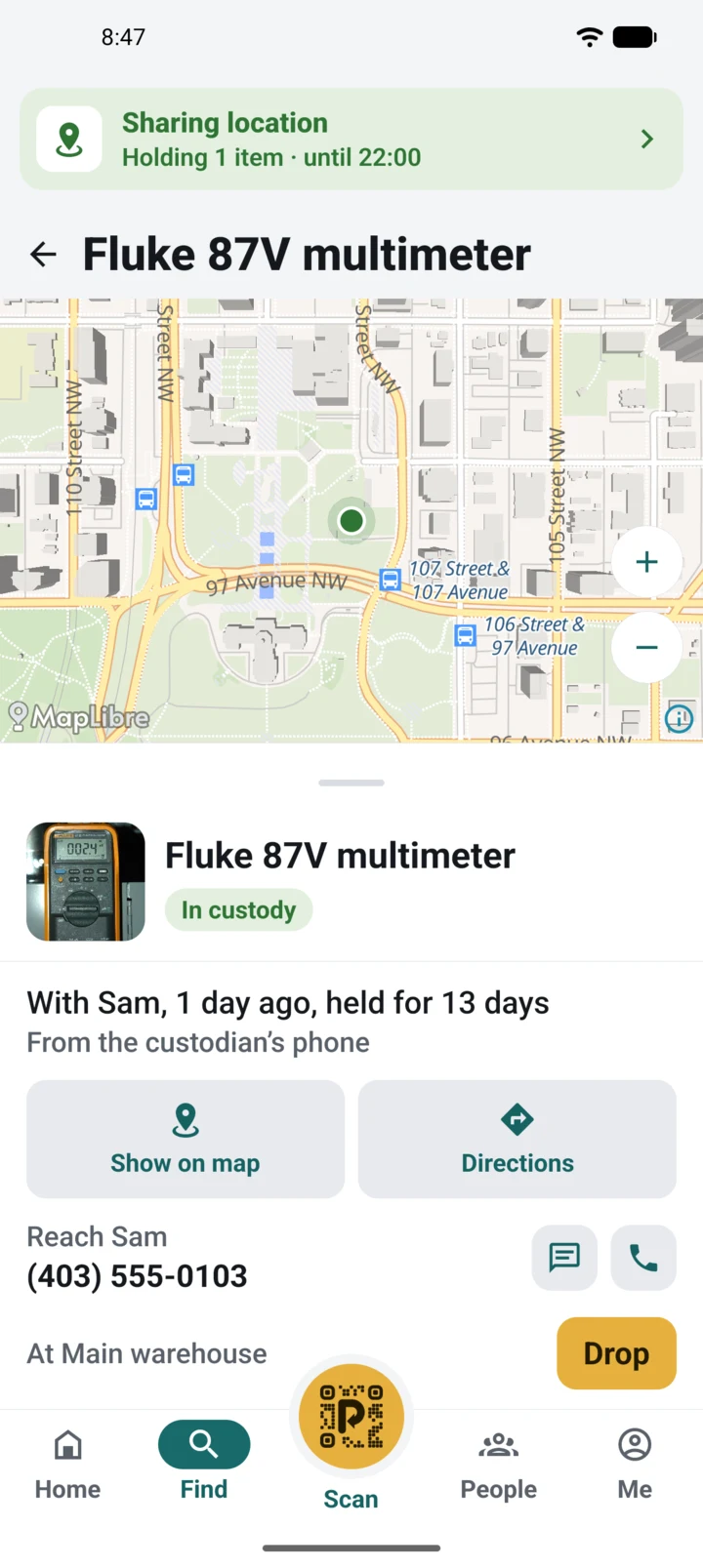
An item in someone’s hands follows their phone during working hours. A dropped item stays at the place it was left. Places are geofences you draw yourself, a yard, a warehouse or a job site for the month, and Drop only works inside one, so gear can’t be left just anywhere. Every location says where it came from and how old it is.
- Generator
- Hammer drill
- Ladder
- Tile saw
- Pressure washer
- Generator
- Hammer drill
- Ladder
- Tile saw
- Pressure washer
It tracks gear, not people: someone holding nothing doesn’t show up at all.
What you get
Fewer “who had it last?” calls.
The same problem in every business that shares gear.
-
Who has it
Every item shows the person holding it, or the place it was dropped, and how long ago.
-
Where it is now
A held item follows its holder’s phone during working hours, so you can find the nearest one. Phones share location only while someone holds an item.
-
Grab a whole kit
Scan each label, hear a ding, then tap Pick up once for the lot. If someone else had an item, they’re told.
-
Dropped where it belongs
Drop works at your yard, your warehouse or a job site you’ve marked, so nothing gets dropped at a gas station.
-
Any gear
If a label sticks to it, Porooch can track it. Any brand, old or new.
-
Fair terms
Month-to-month, unlimited users, no per-vehicle fees.
Privacy
Their phone, their hours.
Porooch asks your crew to look after the gear, not to be watched. They stay in charge of their own phones.
Blameless by design
The record is best effort. A skipped scan or a weak GPS fix makes it wrong, and every location says where it came from and how old it is. It’s there to find gear, not to prove who broke it, and holding something for a long time is never flagged.
-
Hours they set
Each person sets their own working days and hours on their phone. Outside them, it shares nothing in the background.
-
Only while holding gear
Location is shared only while someone holds at least one item. Hands empty, phone quiet.
-
Off in two taps
Tap the location bar, pick Not working today or until a date. Sick day or vacation, done. Switch back any time.
-
Told up front, kept 30 days
Everyone reads a plain notice of what’s collected and why before first use. Location points are deleted after 30 days.
Affordable by design
Lean, simple, and run by your crew.
Fleet trackers put a gateway in every vehicle and lock you into long contracts. Porooch is built from things your team already has and kept up by the people using the gear, so there’s very little to pay for.
-
Lean Nothing to buy or install
Labels are QR codes from your own printer, and the app runs on the phones your crew already carries. No tags, no batteries, nothing in your vans. A lost label is a reprint.
-
Simple Scan, pick up, drop
Scan a label and tap Pick up. Tap Drop when it’s back at the yard. That’s the whole job, so there’s next to nothing to teach.
-
Self-run The crew governs itself
No approvals, no one running a tool room, no sign-out sheet. Whoever scans an item has it, and the last holder is told.
-
Mobile first Run it from your phone
Add gear, label it, invite the crew and see who has what, all from the same app. No office, no laptop, no one at a desk.
Pricing will be published before launch.
Free pilot
Try it on a real job site, free.
We’re taking a handful of crews for a free pilot this winter. You get the app, printable labels and our help setting up. We get to watch it earn its keep, and fix what doesn’t. Spots are limited and not guaranteed: small crews close to home come first.
-
Free, no card
The whole pilot costs nothing, and nothing starts billing when it ends.
-
Set up with you
One call to add your places and gear. Labels ready to print and your crew invited the same day.
-
Month to month after
If you keep it, you pay month to month at the published price, and your pilot record stays.
Got it. Thanks!
We’ll reply within a business day. A short confirmation is on its way to your inbox.
Status
Out of the workshop, onto the job site.
-
Research (done)
Market, pricing, labels and the name.
-
Building (done)
The phone app, printable labels and the dashboard.
-
Pilot In progress
A few teams on real job sites, free. Spots are open: ask for one above.
-
Launch
Public sign-up and a price page.
Why “Porooch”?
поруч /po·rooch/
Ukrainian for “nearby, close at hand”. Which is exactly where your gear should be.
Questions? Write to support@porooch.com.